A demo of AI search, built on a copy of tenancy.govt.nz's public pages and made-up records. I use it to show UX and UI ideas, the different ways to build an LLM into search up to conversational search, and to test how the LLM answers from official content. It isn't a product or an official service.
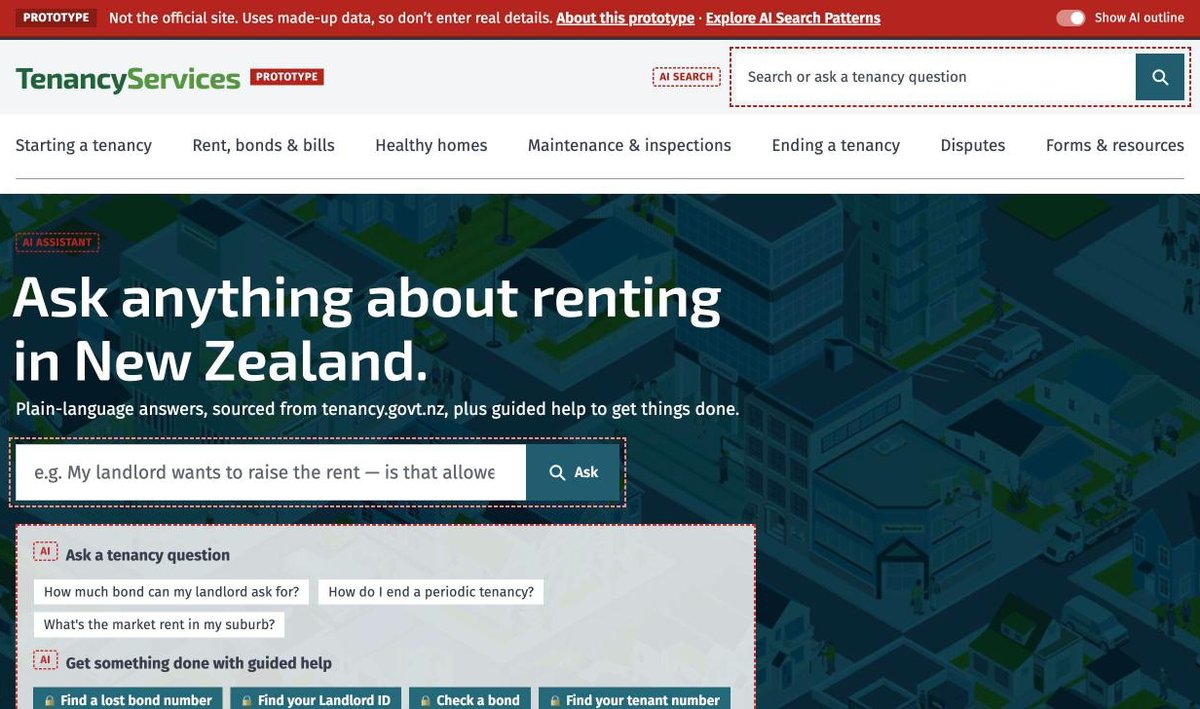
Answers people can check
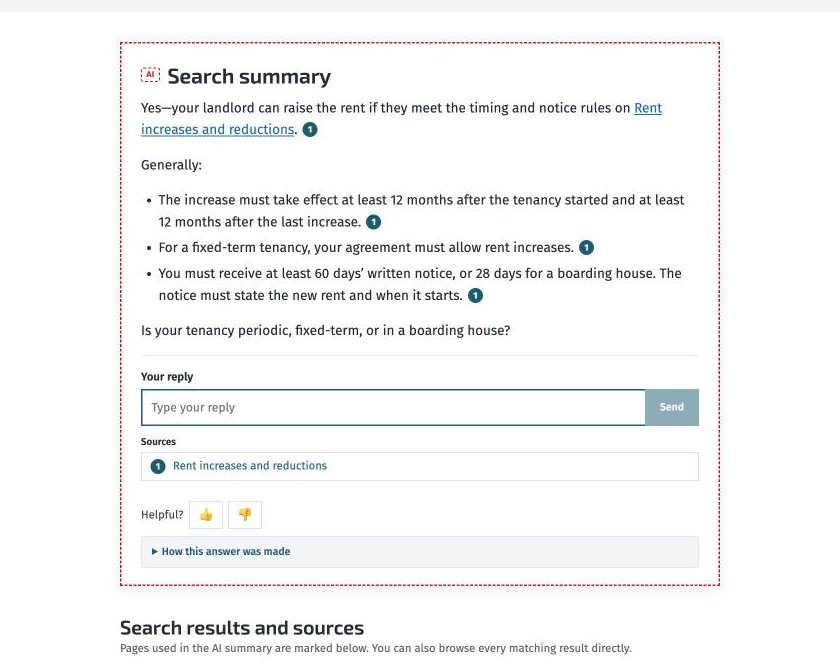
You ask in your own words and get a short answer, with each point linked to the page it came from. The usual results stay underneath, with the pages the answer used marked.
When the rules depend on something the question doesn't say, it asks. When the site doesn't cover a question, it says so and points to the closest page.
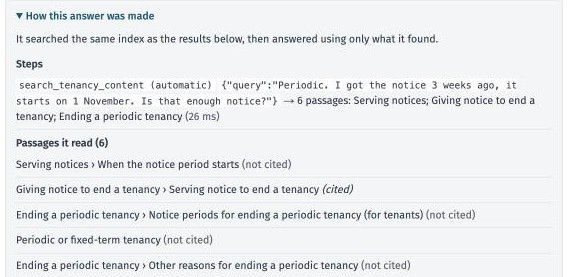
Under each answer, "How this answer was made" shows what was searched and every passage it read.
Five search options, side by side
"Add AI to search" can mean very different things. The demo answers one question, "I want to leave my tenancy next month. How much notice do I need to give?", five ways, so the differences are easy to see.
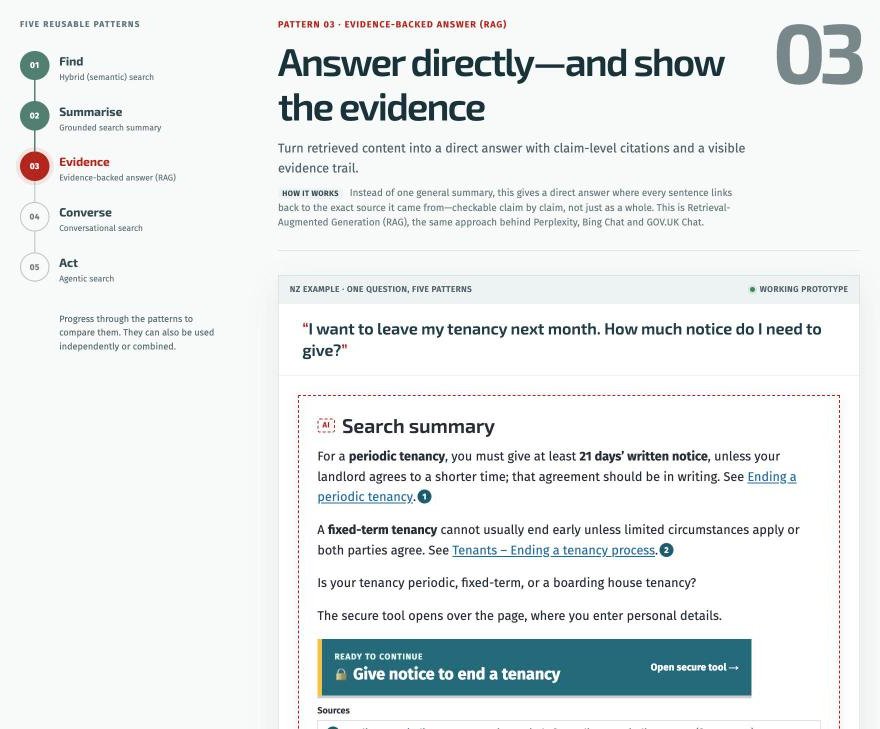
- Find. Ordinary results, but matching uses meaning as well as keywords, so "deposit" finds bond pages. No AI writing.
- Summarise. A short overview above the results, written from the top pages.
- Cite. A direct answer where every sentence links to its source, so it can be checked claim by claim (retrieval-augmented generation, or RAG).
- Converse. The same answers, but you can add context or ask a follow-up without starting again.
- Act. The conversation can work out a date or open a form, not just answer in text.
Guided tools
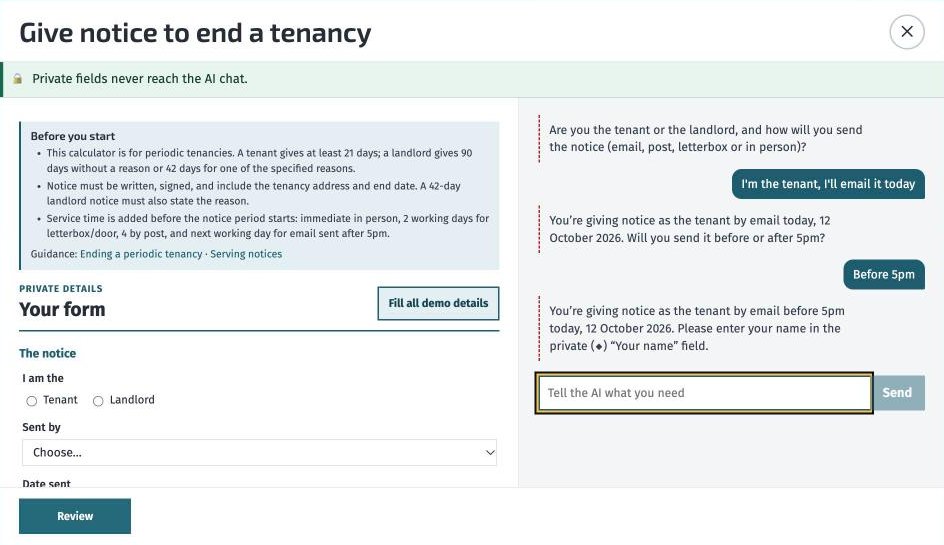
Plenty of what people come to tenancy.govt.nz for is a task, like finding a lost bond number or working out when a tenancy ends. The demo has 13 guided tools for tasks like these, each pairing a form with an AI conversation. Names, addresses and bond numbers go in form fields that never reach the AI, and tasks end on a page to check before submitting. Nothing real is looked up or submitted.
Under the hood, and testing the AI
A crawler copied the site's public pages and split them into passages. Search combines keyword matching with a small embedding model that runs on the demo's own server. Claude writes the answers and is told to use only the passages it found.
It's also where I test the LLM side. The system prompt is versioned, every answer can be rated, and an evaluation script runs a set of questions against the answers. The toggle for AI outlines makes it easy to show people exactly where the model is involved.
It's a demo. It can't read the site's PDFs, and the services behind the tools are simulated.
- UX
- UI
- AI search
- Conversational search
- RAG
- LLM testing
- Claude API
- Next.js